
Google Business Profile optimization is the process of improving your business listing on Google Search and Google Maps so customers can find accurate information about your business and understand what you offer.
What Is Google Business Profile Optimization?
Google Business Profile (formerly Google My Business) helps businesses manage how their information appears across Google Search and Google Maps. A well-maintained profile can present your business name, category, services, hours, photos, reviews, contact details and other useful information.
Why Google Business Profile Optimization Matters for Local SEO
Improve Local Search Visibility
A complete, accurate profile gives Google clearer information about what your business is and the local searches it may be relevant to.
Help Customers Find Important Information
Keep your address, phone number, website, opening hours, services and directions accurate so customers can act without friction.
Build Trust Through Reviews and Photos
Authentic photos and genuine customer reviews provide real-world evidence about your business experience.
Generate Calls, Website Visits and Directions
Your profile can become a direct path from discovery to a call, website visit, direction request or other supported action.
How Google Local Rankings Work
Google says local results are primarily based on relevance, distance and prominence. Businesses can improve the information and prominence signals they control, but they cannot directly change a searcher's physical distance from the business.
| Factor | What it means | What a business can do |
|---|---|---|
| Relevance | How closely the profile matches the search | Complete accurate business information |
| Distance | How far the business is from the searcher | Cannot directly control it |
| Prominence | How well-known the business is | Build reputation, reviews and broader online presence |
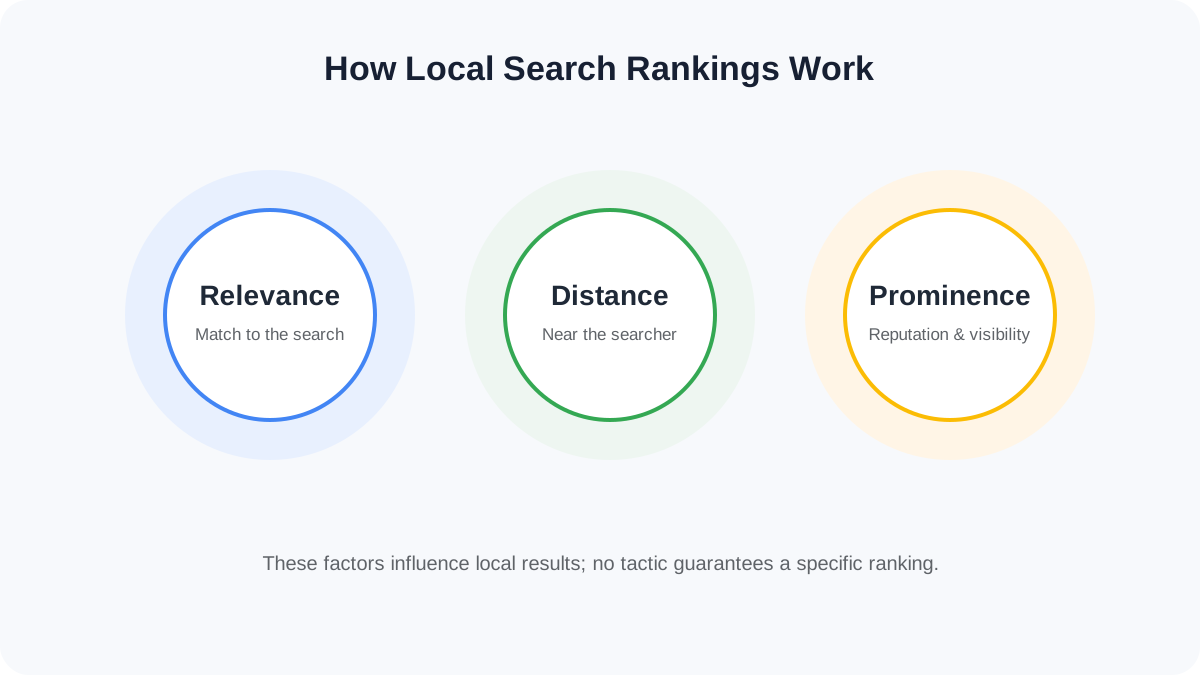
No legitimate optimization checklist can guarantee a #1 local ranking. The goal is to improve accuracy, relevance and the overall quality of your local presence.
Google Business Profile Optimization Checklist
Step-by-Step Google Business Profile Optimization
Step 1: Claim and Verify Your Profile
- Sign in with the appropriate Google Account.
- Find or create the profile.
- Claim an existing profile instead of creating a duplicate.
- Complete the verification process shown by Google.
- Keep the business information accurate.
Step 2: Choose the Right Primary Business Category
Select the most specific category that accurately represents what the business is. Do not use categories simply as a list of keywords.
Step 3: Complete Every Important Business Information Field
Use the real-world business name, accurate address or service area, authoritative phone number, official website, regular and special hours, and relevant factual attributes.
Step 4: Write a Helpful Business Description
Use a simple formula: Who you are + what you offer + who you serve + location + relevant differentiator.
Vidyaitech is a digital marketing and website development company serving businesses in Jalgaon and across Maharashtra. We provide website design, SEO, local SEO, Google Ads, Meta Ads, social media marketing and lead generation solutions for businesses looking to strengthen their online presence and generate qualified enquiries.
Step 5: Add Services and Products
List services that you genuinely provide, such as SEO, Local SEO, Google Ads, Meta Ads, social media marketing and lead generation. Avoid fake or irrelevant services created only to target keywords.
Step 6: Add Authentic Photos and Videos
Consider your logo, cover image, exterior, interior, team, products, services and real work/process photos. Authentic visuals are more useful than generic stock imagery for demonstrating the business.
Step 7: Build and Manage Customer Reviews
Ask genuine customers for reviews, make the process easy, respond professionally to positive and negative feedback, and never buy or manufacture reviews.
Step 8: Publish Useful Updates
Share new services, events, announcements, educational information, seasonal updates and appropriate offers. A useful pattern is Educate → Demonstrate → Inform → Occasionally promote.
Step 9: Connect GBP With Local SEO
Think of the ecosystem as GBP → Website → Local Content → Reviews → Citations → Brand Authority. Support it with useful service pages, location pages, consistent NAP information, internal links, relevant local content, appropriate local business schema and genuine local mentions.
Step 10: Keep Business Information Consistent
Keep your Name + Address + Phone consistent across your website, profile, social accounts, local directories, industry directories and other relevant sources.
Google Business Profile and AI Search Visibility
Do not treat GBP optimization as a promise to “rank in ChatGPT.” Instead, build a clear and consistent digital information ecosystem so search systems can better understand the business, its services, location and reputation.
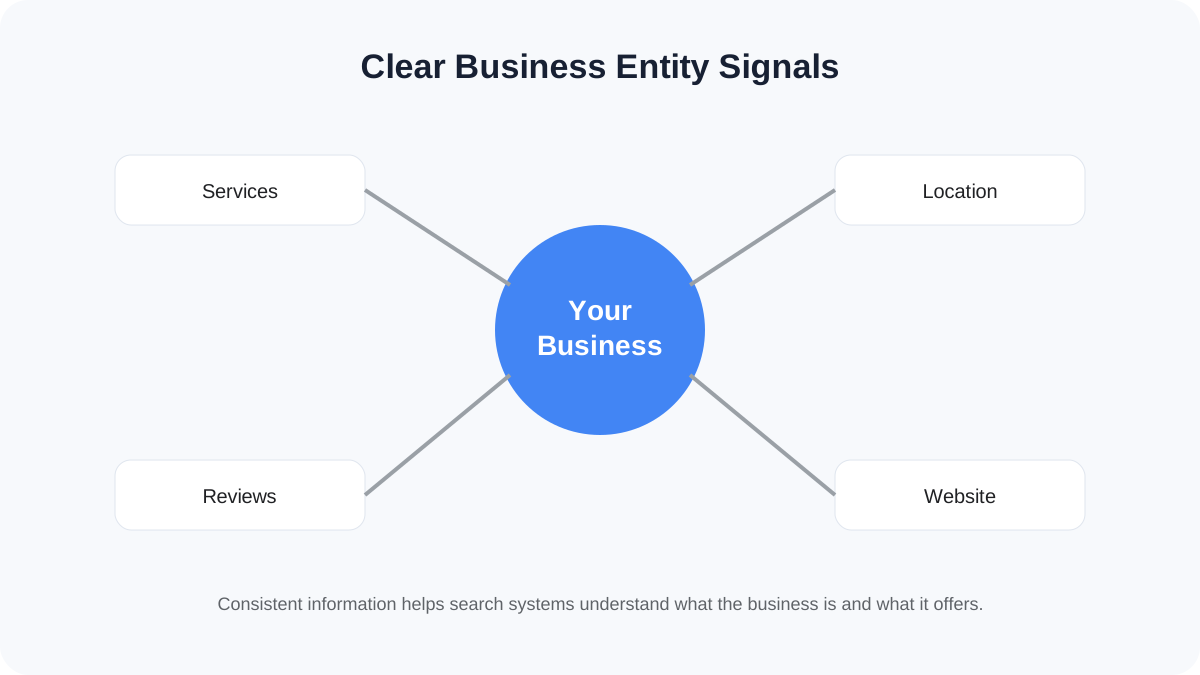
For example, Vidyaitech can be understood through connected entities such as Digital Marketing → Website Development → SEO → Local SEO → Google Ads → Meta Ads → Jalgaon → Maharashtra → Small Businesses. That is more useful than repeating one keyword dozens of times.
Track Google Business Profile Performance
Depending on the profile and available reporting, performance information can include searches, views, calls, website clicks, directions, messages and bookings.
| Metric | What it tells you |
|---|---|
| Searches | How people discover the profile |
| Views | Profile visibility |
| Calls | Phone-contact activity |
| Website clicks | Website interest |
| Directions | Local visit intent |
| Messages | Direct enquiries |
| Bookings | Conversion activity where supported |
Compare performance month to month rather than making decisions from a single day's data.
Google Business Profile vs Website SEO
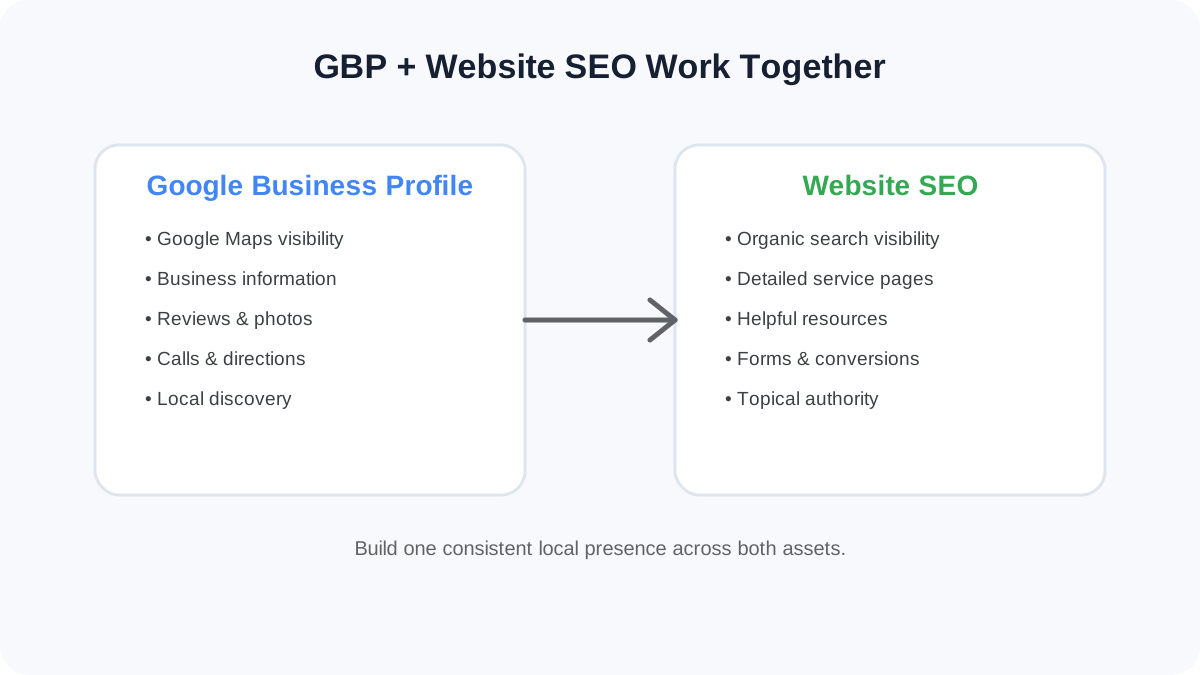
| Google Business Profile | Website SEO |
|---|---|
| Strong for local discovery | Strong for broader organic visibility |
| Google Maps | Organic search |
| Business information | Detailed content |
| Reviews | Articles and resources |
| Calls and directions | Forms and conversions |
| Local presence | Topical authority |
Common Google Business Profile Mistakes to Avoid
- Keyword-stuffing the business name
- Choosing irrelevant categories
- Creating duplicate profiles
- Leaving important information incomplete
- Ignoring reviews
- Using only generic stock images
- Showing incorrect opening hours
- Inconsistent business information
- Creating fake reviews
- Treating GBP as a one-time setup
What Actually Works?
| Activity | Purpose | What to avoid |
|---|---|---|
| Accurate category | Relevance | Category stuffing |
| Complete information | Better understanding | Missing fields |
| Authentic photos | Trust | Generic stock images |
| Genuine reviews | Reputation | Purchased reviews |
| Helpful responses | Engagement | Automated spam |
| Useful posts | Fresh information | Constant promotions |
| Website consistency | Entity clarity | Conflicting details |
| Performance tracking | Decision-making | Guessing |
30-Day Google Business Profile Optimization Plan
| Days | Activity |
|---|---|
| 1 | Audit existing profile |
| 2 | Verify ownership |
| 3 | Check business name |
| 4 | Review primary category |
| 5 | Review secondary categories |
| 6 | Check address |
| 7 | Check phone/website |
| 8 | Update hours |
| 9 | Review description |
| 10 | Add services |
| 11 | Add logo |
| 12 | Update cover image |
| 13 | Add exterior photos |
| 14 | Add team photos |
| 15 | Add service/product photos |
| 16 | Review existing reviews |
| 17 | Respond to unanswered reviews |
| 18 | Create review-request process |
| 19 | Review Q&A |
| 20 | Create educational post |
| 21 | Create service-focused post |
| 22 | Create local post |
| 23 | Check website consistency |
| 24 | Check NAP citations |
| 25 | Review local landing pages |
| 26 | Check internal links |
| 27 | Review search queries |
| 28 | Check calls/website clicks |
| 29 | Compare performance |
| 30 | Create next-month optimization plan |
FAQ: Google Business Profile Optimization
What is Google Business Profile optimization?
It is the process of improving a business listing with accurate information, relevant categories, services, photos, reviews and other useful details to strengthen its local search presence.
Is Google Business Profile free?
Creating and managing a Google Business Profile is generally free. Google also offers separate advertising products that businesses can pay for.
How do I optimize my Google Business Profile?
Start by verifying the profile, using the accurate business name and category, completing business information, adding services and authentic photos, managing reviews and monitoring performance.
Does Google Business Profile help local SEO?
Yes. Google states that Business Profiles can help businesses appear in local search results, and local results are primarily based on relevance, distance and prominence.
How important is the primary category?
The primary category helps Google understand what your business is. Choose the most specific category that accurately represents the core business.
Can I add keywords to my business name?
Not simply for SEO. The business name should reflect the real-world name of the business.
How often should I update my Google Business Profile?
Review important information regularly and update it whenever business details change. Add posts when there is something genuinely useful to communicate.
Why isn't my Google Business Profile ranking?
Possible factors include relevance, distance, prominence, profile completeness, category accuracy and the broader online presence of the business. There is no guaranteed formula for a specific ranking position.
Can Google Business Profile help with AI search?
A well-maintained profile contributes to the broader digital information ecosystem around a business. Clear, consistent information across the website and trusted sources can help search systems understand the business, although no GBP technique guarantees inclusion in an AI-generated answer.
Google Business Profile Optimization in 5 Points
- Keep business information accurate and complete.
- Choose the most relevant primary category.
- Use authentic photos, services and genuine reviews.
- Connect the profile with a consistent local SEO and website strategy.
- Monitor performance and improve areas that generate meaningful customer actions.
Want to Improve Your Local Online Presence?
Vidyaitech helps businesses build stronger websites, Local SEO foundations and lead-generation systems for customers searching online.
Explore Vidyaitech Services